
Search and add from anywhere
ReadyTab includes several ways to find existing links or add new ones without manually browsing through groups.
Spotlight search
- Open with Ctrl + Space, or / when you are not typing in an input
- Two tabs at the top: Search and Add Link
- Fuzzy-matches your saved links across all workspaces
- Each result row shows its type (link / clipboard / launcher), the favicon, the title, and on the right a pill per workspace the item lives in, with the group it is filed under beneath (top-level shortcuts show Shortcut)
- The same link saved in several workspaces appears once, with one pill per workspace — matched by URL, ignoring
http/https, a leadingwww., and trailing slashes - Arrow-key navigation; Enter opens the selected result; Escape closes
- Shows a web-search fallback row for non-empty queries. By default it searches with your browser's default search engine; you can pick a specific engine in Settings → General instead
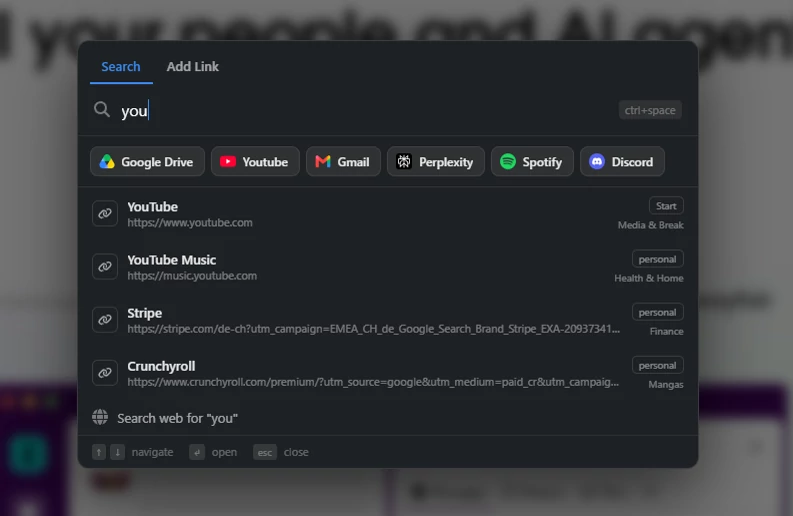
Spotlight search overlay with live results and the fallback web-search action.
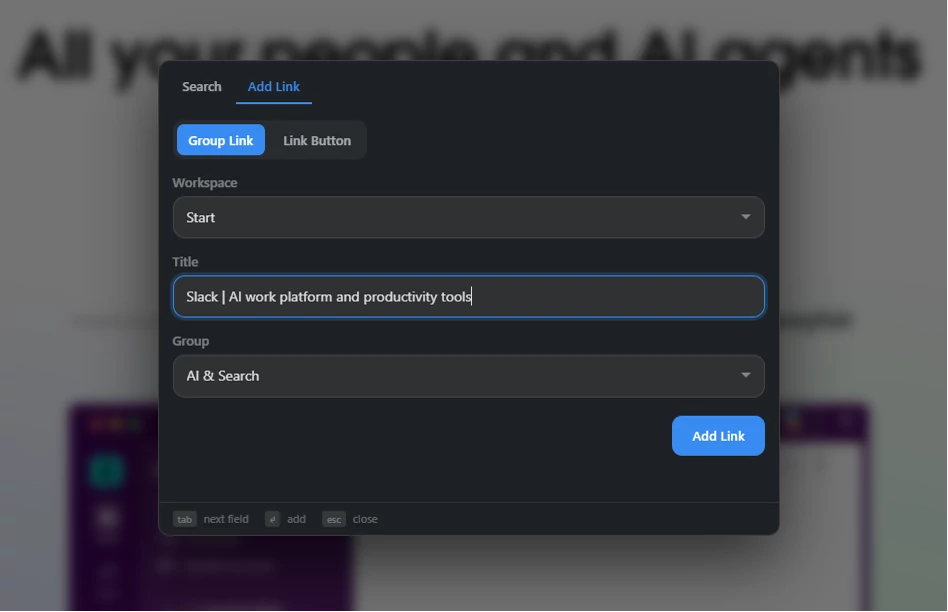
The Add Link tab in Spotlight — add a link without leaving the overlay.
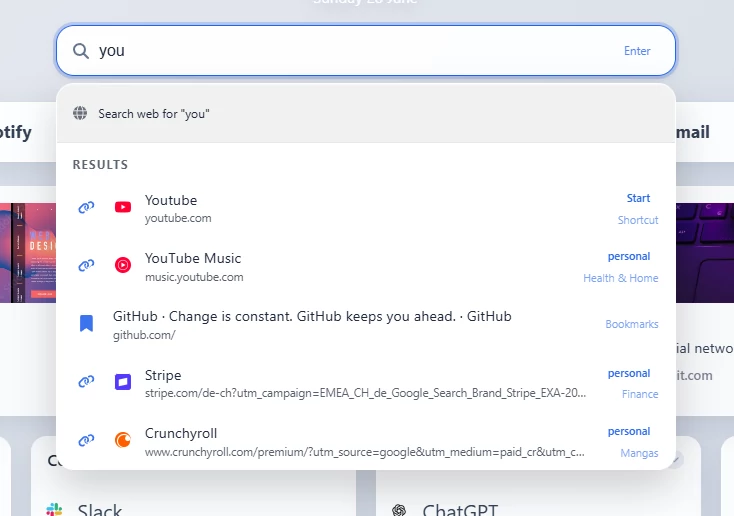
Dashboard search in a new tab.
Quick-action shortcuts (the rail)
Above the results, Spotlight shows a row of one-click shortcut chips. These mirror your top action bar — the board's top zone, i.e. the shortcut, clipboard, and launcher buttons pinned above your groups (not the ones placed on the main board).
- The rail shows the active workspace's top-zone shortcuts only — it does not combine shortcuts from every workspace. Switching the active workspace on the dashboard changes which shortcuts the rail shows.
- All three top-zone kinds appear and run straight from the rail:
- Shortcut (link) opens its URL
- Clipboard button copies its text
- Launcher button runs its target — apps open directly; folder / file / PowerShell launchers go through the companion app
- Chips wrap onto multiple rows when there are many.
- A button counts as "top zone" by default; only buttons explicitly moved onto the main board are excluded.
- The rail is on by default. Turn it off with General → "Show shortcuts" if you'd rather Spotlight show results only.
Search spans all workspaces; the rail does not
Spotlight search looks across every workspace (one row per link, with a pill for each workspace it lives in). The quick-action rail is scoped to the active workspace's top zone only — it is not an aggregate of all workspaces.
Open tabs
Spotlight can also surface the tabs you already have open, so it doubles as a quick tab switcher.
- Your open tabs appear as a ribbon across the top of the overlay.
- Type to highlight — the ribbon always shows all your tabs, and matching ones light up in blue. A tab also lights up when its address matches one of the link results — so searching a group name (with group-name search enabled) highlights the open tabs of that group's links.
- Click a tab to jump straight to it — ReadyTab focuses that tab's window and activates the tab.
- Close a tab without leaving the overlay — hover a tab (or focus it with the keyboard) and click the small ✕ in its corner.
- The ribbon reflects your currently open tabs, not saved links.
- It is off by default. Turn it on with General → Tab Ribbon → "Show tab ribbon".
Separately, General → Spotlight Search → "Show matching open tabs in results" (also off by default) folds matching tabs into the results list as keyboard-navigable rows — press Enter on one to switch to that tab. It works with or without the ribbon.
Ribbon layout & grouping
Two settings in General → Tab Ribbon shape how the ribbon is displayed:
- Ribbon layout — keep the ribbon as a horizontal strip across the top (default), or move it to a vertical rail on the left edge of the overlay. The left rail suits wide screens and long tab lists.
- Group tabs by domain (off by default) — orders the ribbon by site: domains with several tabs become labeled clusters (largest first), and remaining one-off tabs are pooled under an Other label. Handy when you have many tabs from the same site, like documentation or reviews.
Open with a mouse gesture
You can open Spotlight without touching the keyboard:
- Enable General → Overlay on Other Pages → "Open with mouse gesture" (off by default).
- Then hold the right mouse button and drag a short distance anywhere on the page — the overlay opens when you release.
- A plain right-click (no real movement) still shows the normal browser context menu; only a right-button drag triggers Spotlight.
Spotlight on all pages
- Optional setting in General ("Enable on all pages")
- Works outside the new tab page, as a content overlay
- Searches your saved links — and shows the active workspace's shortcut rail — anywhere
- Appearance setting (General): the on-page Spotlight has its own Dark / Light skin, independent of your board themes; Dark is the default
- The Add Link tab adds the current page: edit the title, pick a workspace and an existing group (or create a new one — names must be unique within that workspace)
- Protected workspaces are not listed in the workspace picker — unlock happens on the board, so links added from a page can only go to unprotected workspaces
Important caveat
The all-pages Spotlight opens saved links in a new tab, because it runs outside the ReadyTab new tab page.
Browser context menu
- Right-click a page or link
- Choose Add to ReadyTab
- Spotlight opens directly on its Add Link tab, targeting the page (or the link you right-clicked)
- Pick the workspace and group — or create a new group — adjust the name, and save
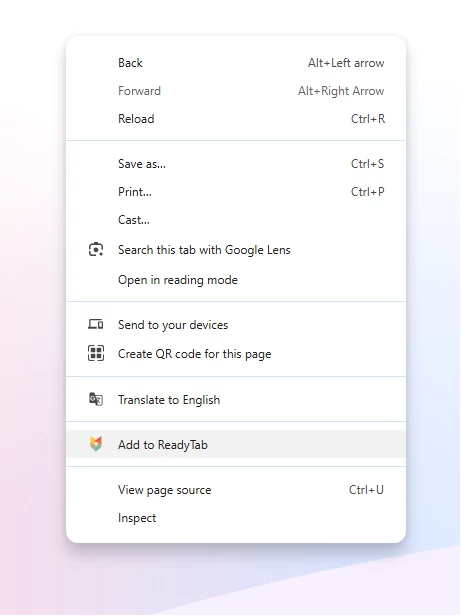
Adding the current page from the browser's right-click menu.