
Settings
ReadyTab settings are organized into tabs: General, Design, Spaces, Data, and Account.
General
- Interface language (10 languages — see below)
- Global link target behavior
- Clock visibility, format, seconds, and date
- Logo upload and removal
- Web search bar settings
- Spotlight Search: enable on all pages, search by group name, show the shortcut rail, and matching open tabs in results
- Tab Ribbon: show the ribbon, its layout (top strip or left rail), and grouping tabs by domain
- Overlay on Other Pages: open with a mouse gesture and the overlay appearance (light/dark)
- Auto-grow groups when adding items
- Task reminder notifications (master switch for task reminders)
- Link health toggle Sync / Full
- Auto-sync to cloud Sync / Full
- Auto-pull newer cloud state Sync / Full
- Cloud sync delay selector Sync / Full
- Cloud check interval selector Sync / Full
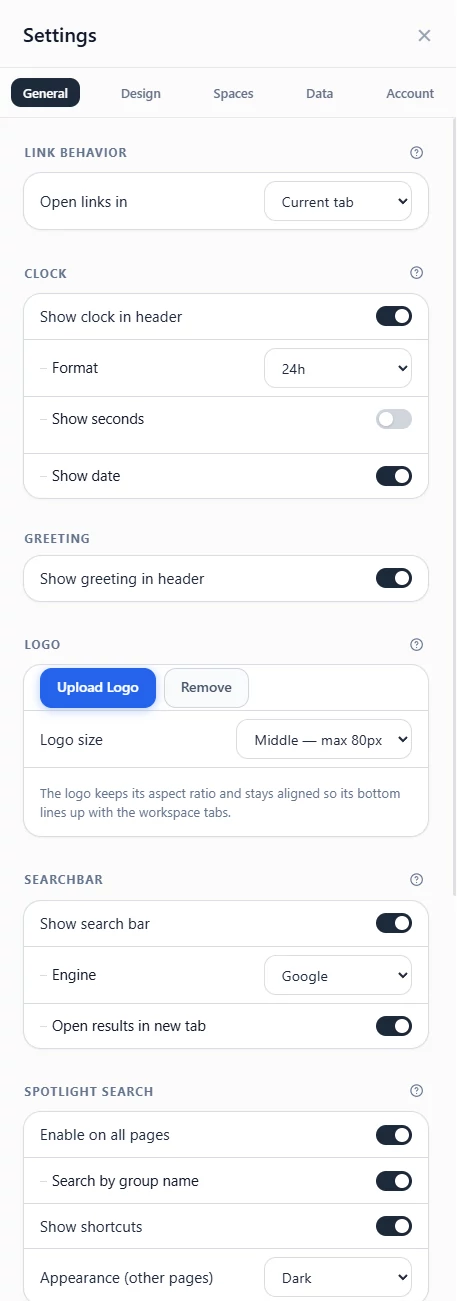
The General settings tab.
Interface language
ReadyTab's interface is available in 10 languages: English, German, Spanish, French, Italian, Japanese, Korean, Brazilian Portuguese, Russian, and Simplified Chinese.
By default ReadyTab follows your browser's language. To override it, open the Language section at the top of the General tab and pick a language from the Interface language dropdown. Your choice applies everywhere — the new-tab page, on-page Spotlight, the "Add to ReadyTab" right-click menu, and the public-board reader — and is remembered across sessions.
Design
Layout & theme
- Font size
- Compact mode
- Theme selection
- Apply theme to other spaces
- Tab underline style
- Link description visibility
- Auto-favicon on save
- Hover movement toggle for card and link slide/lift motion
- Reset design settings
Background
The Background card shows the current background and its name. Select it to open the options, grouped in tabs:
- Themes: the default background of each built-in theme
- Animated: ten animated backgrounds (Wave, Waves, Swell, Constellation, Grid, Bubbles, Leaves, Maple, Snow, Rain), followed by the animated gradients
- Gradients: named and plain gradients
- Solid: six ready-made colors, or any color with the custom picker
- Image: drop an image or choose a file, then select Upload
- CSS: any valid CSS background value
When one of the ten animated backgrounds is selected, two more controls appear under the grid:
- Tint: six preset colors or a custom color. The whole background recolors to match.
- Appearance: System, Dark or Light. System follows your device's light or dark setting.
Animated backgrounds show a still frame when your device is set to reduce motion. On public boards they animate in the visitor's browser with the same tint.
Also in this section:
- Apply background from another workspace
- Reset to default, next to the Background heading
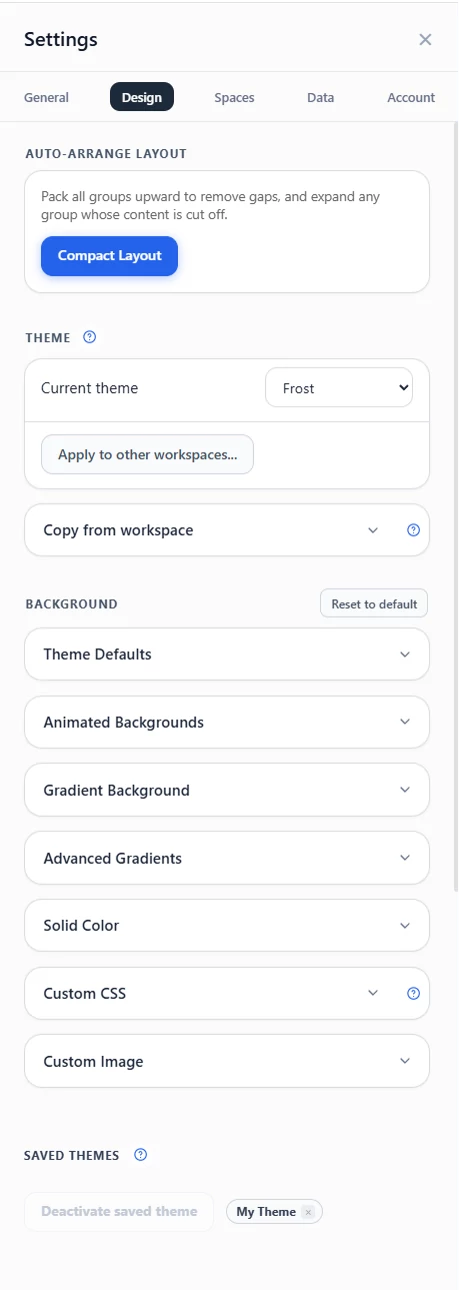
The Design settings tab.
Theme editor
- Saved theme strip
- Named theme save flow
- Unsaved changes indicator
- Custom CSS field for workspace-wide styling
- Theme export and import
- Reset theme values
Spaces
- Reorder spaces
- Rename spaces
- Protect, share, or delete spaces from the management list
- Open Sharing, with tabs for Share codes, Public links and Live boards
- Use Import code for an independent local copy or Join board for a connected team tab (both free)
- Create shares from a selected workspace and manage their codes, links or live boards Full
- Restore a published board's source without renaming it, or open the source Full
- Managed boards appear in the same spaces management list
- Enter a shared edit key to edit a subscribed team board for free
- Create, name, copy, replace or revoke individual edit keys on a board you own Full
- Managed subscriptions can be removed without affecting the publisher
See Sharing & publishing for the three sharing modes, and Managed boards for edit keys and pending-work recovery.
Data
- Export the current local dashboard as JSON (other saved cloud dashboards and history are not included)
- Import dashboard JSON
- Import selected bookmark folders or links, preview their groups, and arrange them across local workspaces
- Save current window as group
- Session recovery: view, restore, or clear the last session snapshot
- Compact layout tool
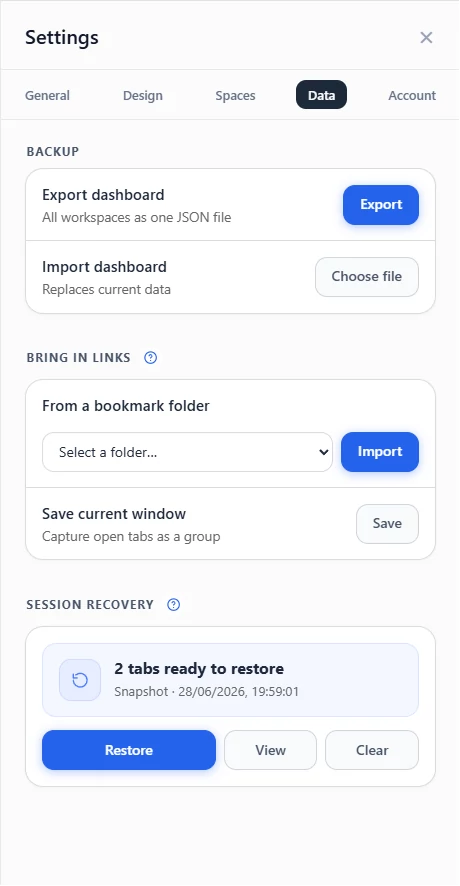
The Data settings tab.
Account
- Activate a Sync or Full key and see its included permissions
- Copy or remove a stored key, with a backup warning before removal or replacement
- Choose the active cloud dashboard Sync / Full
- Manual cloud push / pull / delete actions Sync / Full
- Version history and restore Sync / Full
- Companion app status and setup link
Cloud sync guide
For the full cloud sync model, automatic flow, recovery behavior, and conflict edge cases, see Cloud sync.
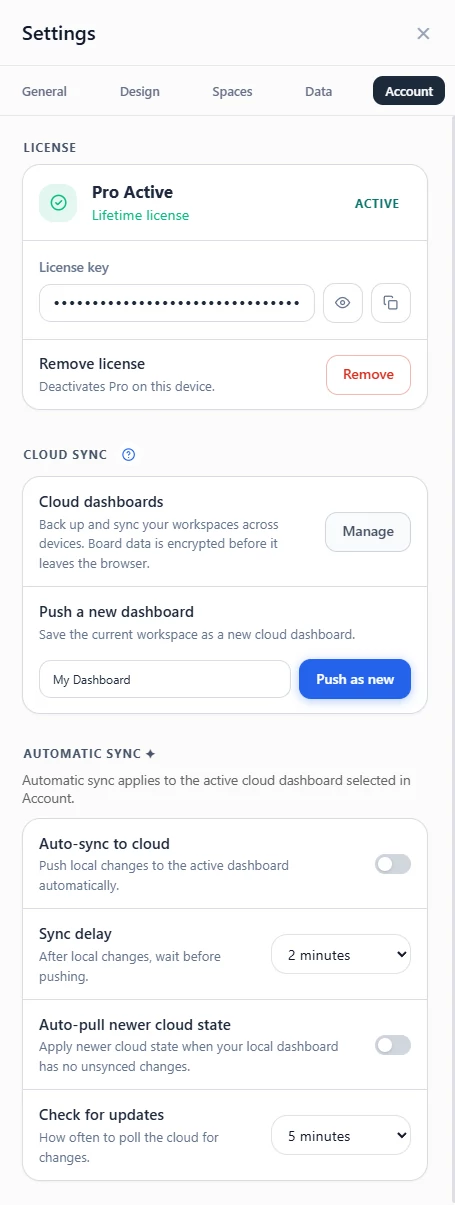
The Account settings tab.
Activation limits
Each license can be active on a limited number of devices — up to 10 devices on the annual plan and 15 devices on the lifetime plan. Removing the stored key from a device frees an activation so you can use it on another.
See Plans and licenses before replacing a key.